We recently updated the logic of the Home Page Banner editor in the CMS to be more robust:
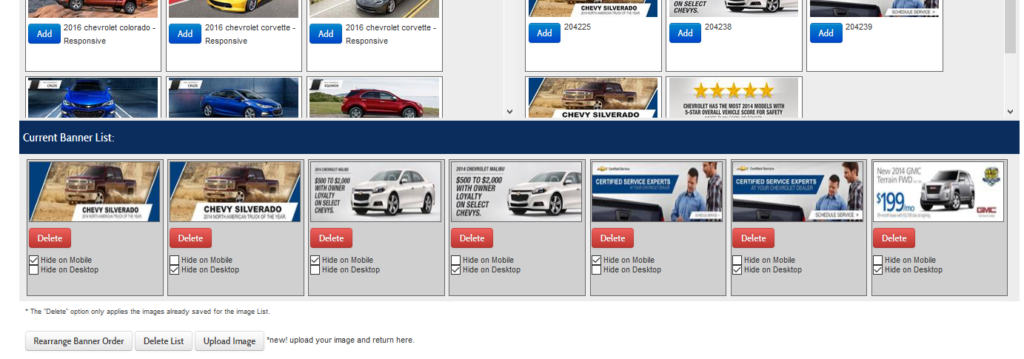
- Changed “Delete” and “Add” checkboxes to more user-friendly buttons
- Disabled the “Update” button if no changes to the banner order have been made
- Added a button to unlock banners for re-ordering
- Added an indicator that the request is being processed so people don’t click on things while the page is reloading
- Made improvements to tracking capabilities specific to banner order updates
- Changed the “Update List” button to say “Rearrange Banner Order” to make it more user-friendly
- Updated “Save” button to read “Save Order” when the banners have been rearranged
- Moved “Rearrange Banner Order” button to the bottom of the page so it’s not lonely all by itself